Hi
I use Safari browser on my iPad and find it difficult navigating this community page. I can’t figure out how or where to look for the latest posts. Particularly New Lesson Updates and Practice Inspiration categories. Is there a way to arrange the posts from the Latest to Oldest? Do the lock symbols mean the category is locked out like Monthly Challenges? Is there a browser that works better than Safari…Firefox, Edge, Google Chrome? Suggestions appreciated.
Thanks
Hi @Ivan.C 
To answer your questions:
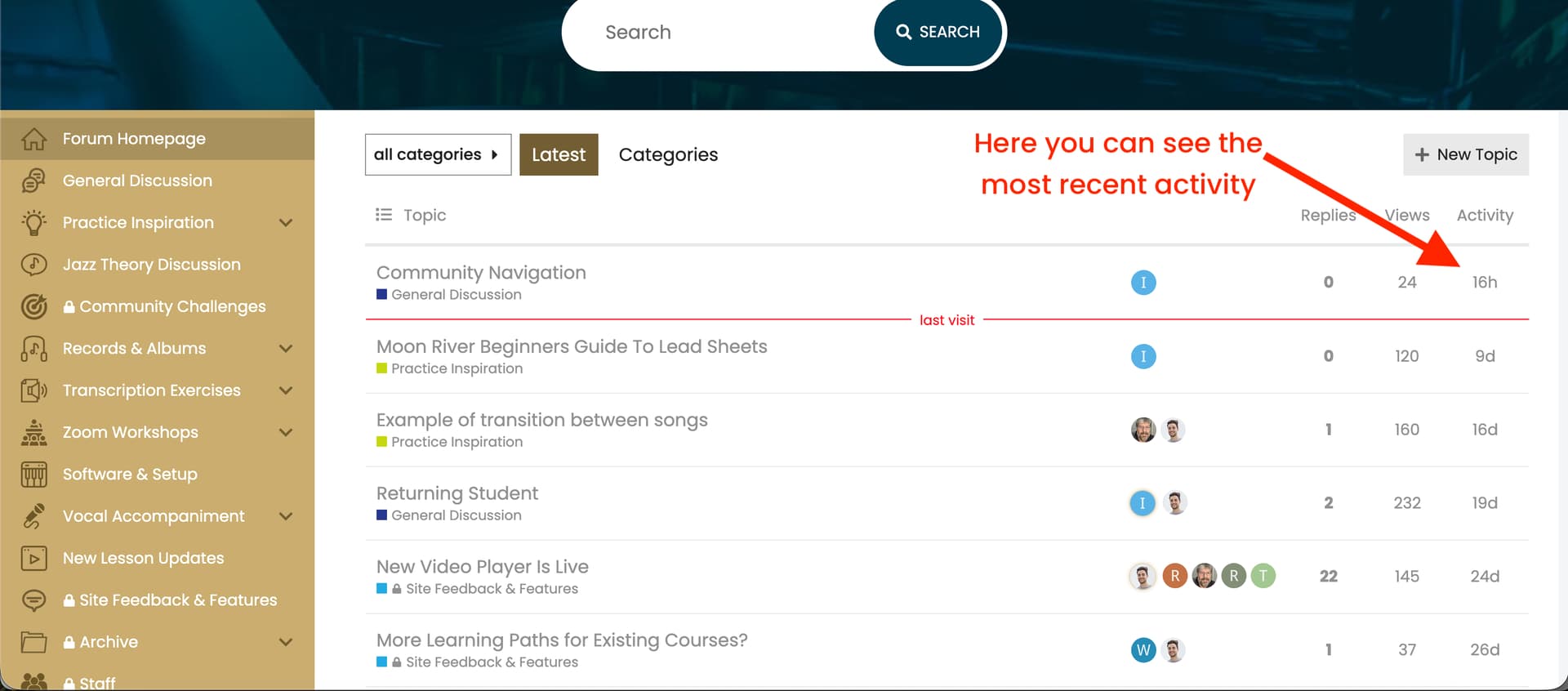
By default the threads are ordered by most recent (both on the forum homepage and in the forum categories).
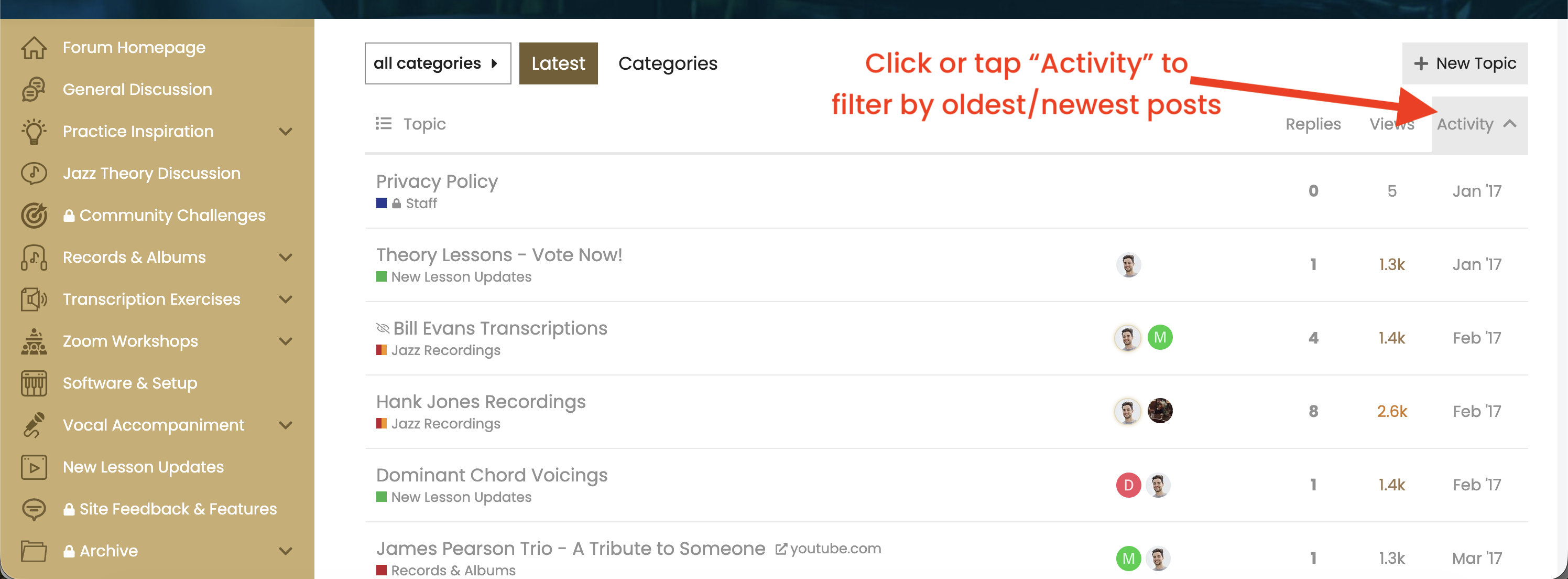
When loading the forum, if you look at the far right column titled “Activity” - it shows when the last post was made. You can also click the heading “Activity” and it will then show the oldest posts.
Please click the screenshot here to enlarge it:
and here showing where to click to change the order of the posts:
Pinned Topics
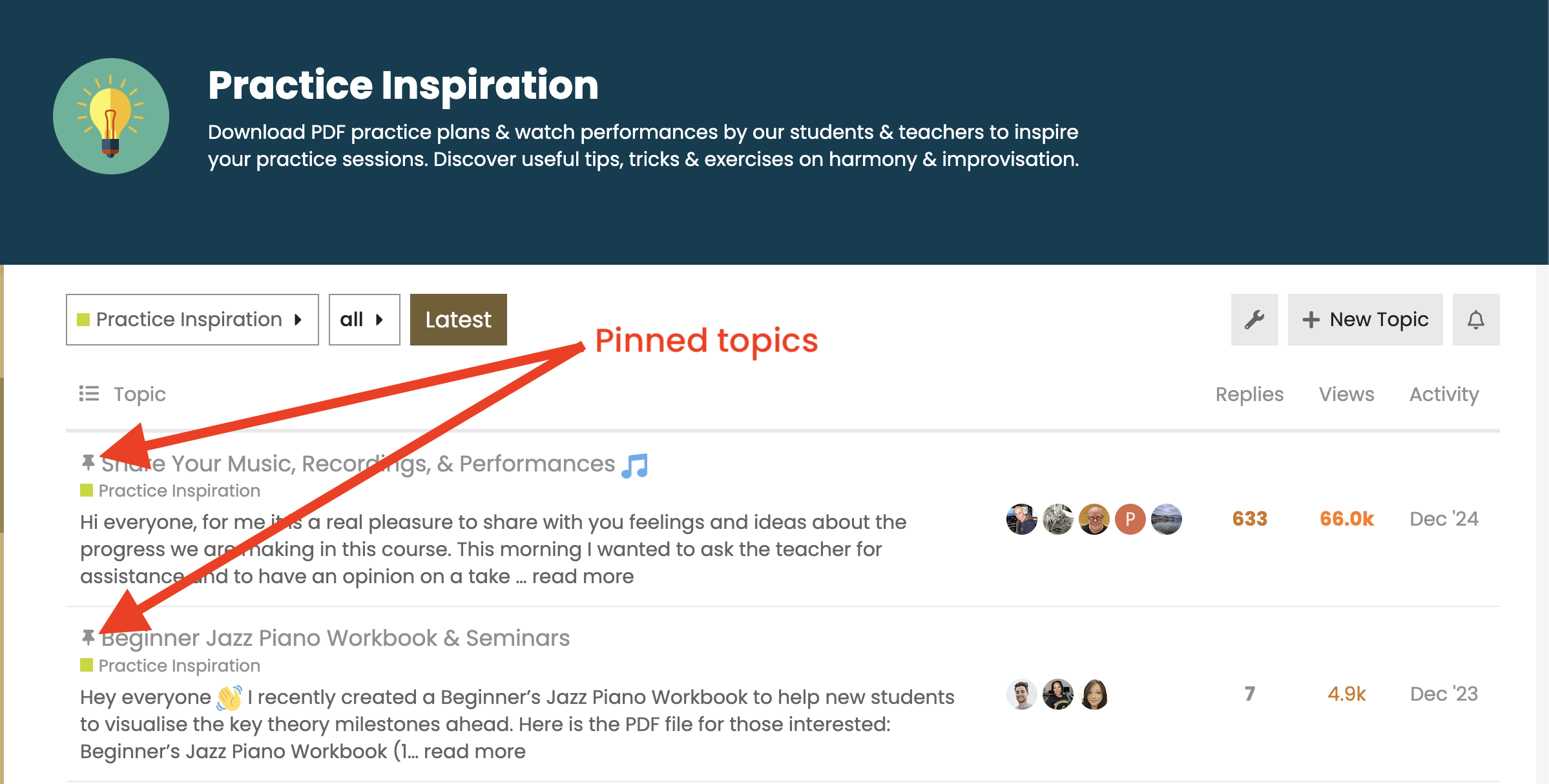
The exception to this is the pinned topics in the forum categories which show a pin icon.
These threads are permanently ‘pinned’ to the top of the respective category and so they do not change order when you press or tap the “Activity” column header:
Lock Icons
No the lock icon means that the category in question is only accessible / visible to students with an active membership.
For example, if a student’s membership has expired, or if they bought a single course access, then they cannot see / access the categories which have the padlock.
I agree that this is a little confusing so I will remove the lock icons when we next update the forum, but rest assured that if you click into any section of the forum, you can view all of the posts etc…
Recommended Browser
I just tested the forum on my iPad using Chrome and Safari browsers and I’m able to navigate the forum categories, posts, and press the “Activity” column header to change the order from most recent posts to oldest posts.
I didn’t test all of the browsers that you mention, but as you are using an iPad perhaps it makes more sense to use Safari, as that browser is specifically optimised for Apple hardware.
However, if you prefer the interface of Chrome, it shouldn’t make any difference as it’s the leading web browser and is very well-supported by different software systems, such as the one that our forum is built in.
So short answer: I’d recommend sticking to Chrome or Safari.
I hope that helps Ivan - any follow up questions just let me know.
Thanks Hayden….got it now. One more quick question….Do you still do challenges?
1 Like
My pleasure, Ivan.
We didn’t run a challenge for a while now as participation had become quite low, so I decided to focus my time on creating new lessons instead.
That said, I’m certainly open to bringing the challenges back in the future, particularly if there’s renewed interest from the community. They were a lot of fun when we had a group of students taking part!
1 Like